
FeatValue Asana

Asana client portal for agencies and service providers Asana for your team, FeatValue for your clients

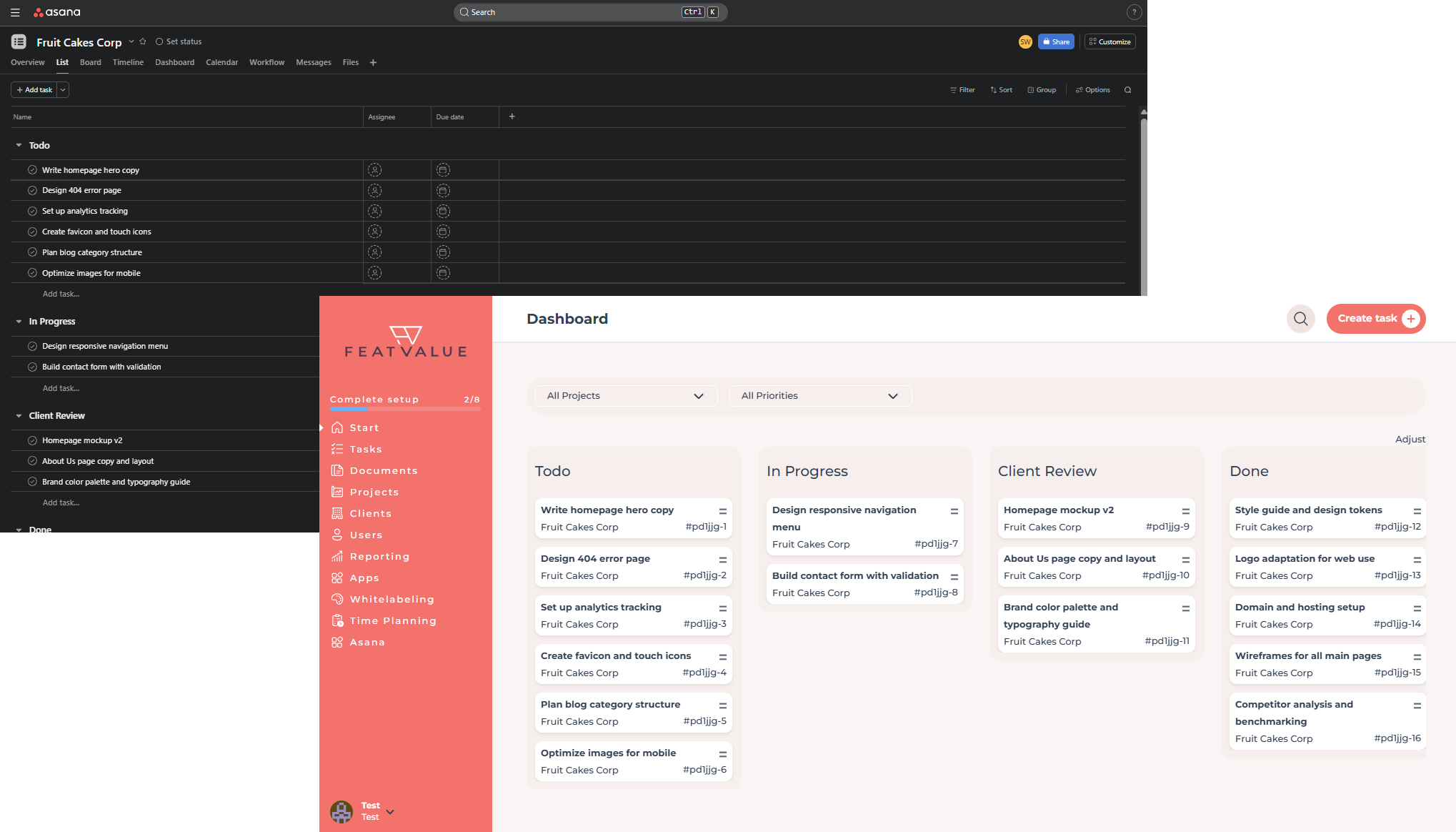
Your tasks stay in Asana—and appear as tickets in the FeatValue client portal. Sections, priorities, comments, and approvals sync bidirectionally. You can link existing Asana projects to clients later without exposing your workspace.

Start free. No credit card. Set up in minutes.

FeatValue: Your client portal – connected to Asana

Asana: Your team's familiar workspace – clients follow approvals and tasks in FeatValue.
Asana – FeatValue
Sections become your FeatValue statuses – Asana

Familiar

Sections become your FeatValue statuses

Each FeatValue status column is created as its own section in Asana. You keep working with tasks and drag-and-drop—your clients see the tasks in the right client view.

Approval

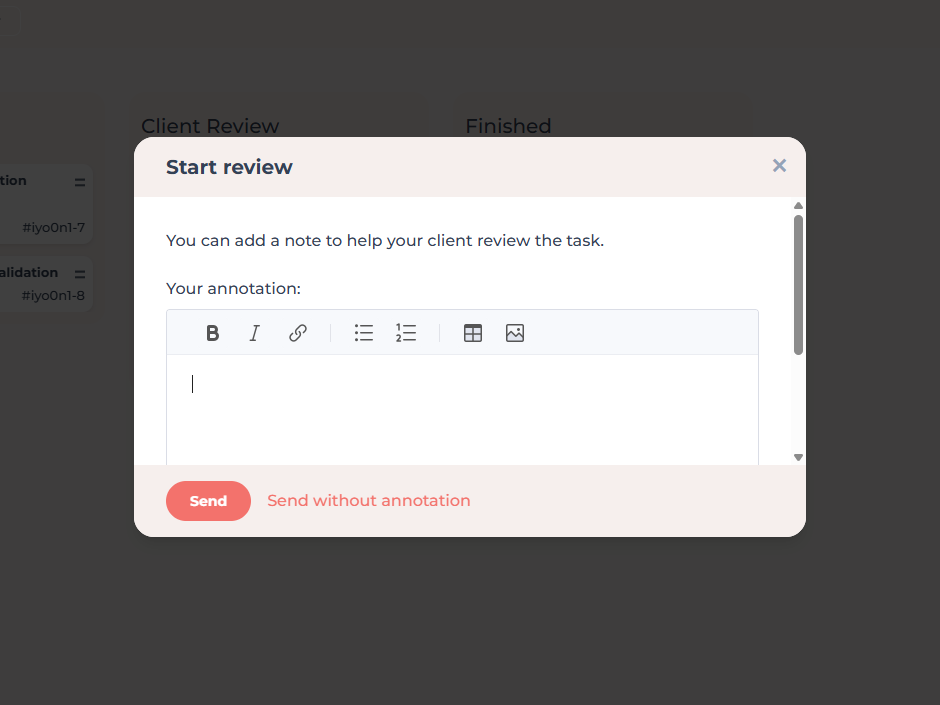
Client approval via the FeatValue workflow

In your FeatValue workflows you define which status triggers client approval and where a task returns on rejection. In Asana that corresponds to the right section (e.g. Client Review): once a task lands there, your client is notified and reviews it in the portal.

Client approval via the FeatValue workflow – Asana
Your Asana stays internal—clients only see FeatValue – Asana

Two worlds

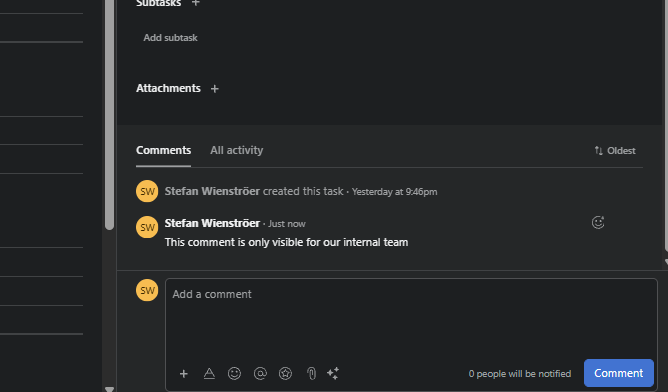
Your Asana stays internal—clients only see FeatValue

Clients never get access to your Asana workspace. FeatValue only syncs the task information meant for clients. Discussions your team exchanges in Asana comments or on internal tasks stay in your workspace.

Migration

Connect existing Asana projects later

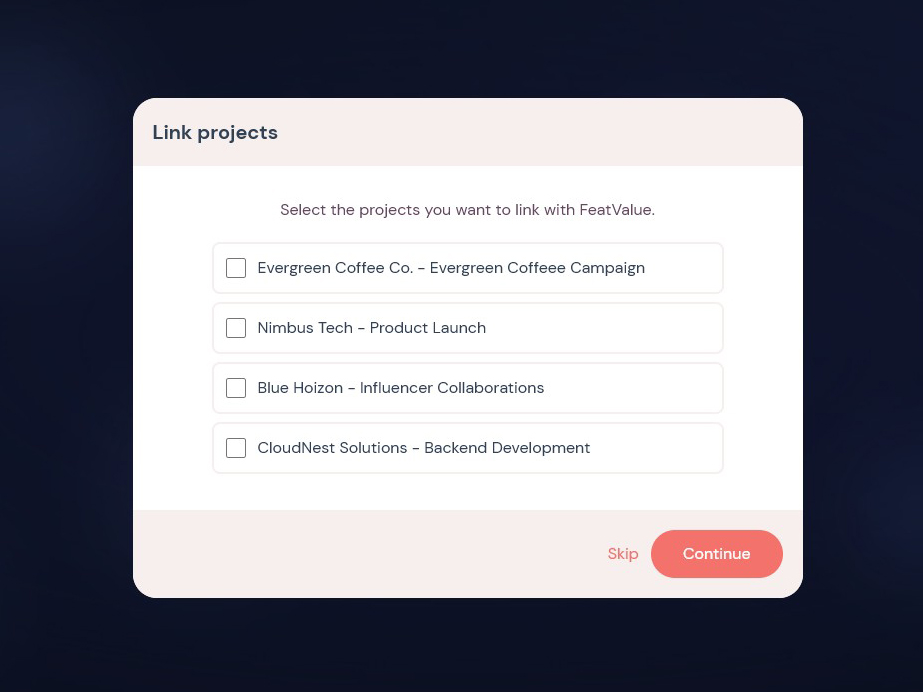
Already running a client project in Asana? Link it during FeatValue onboarding or later from the FeatValue menu—map your sections to FV statuses, and existing tasks are imported automatically, including priorities, descriptions, and comments.

Connect existing Asana projects later – Asana
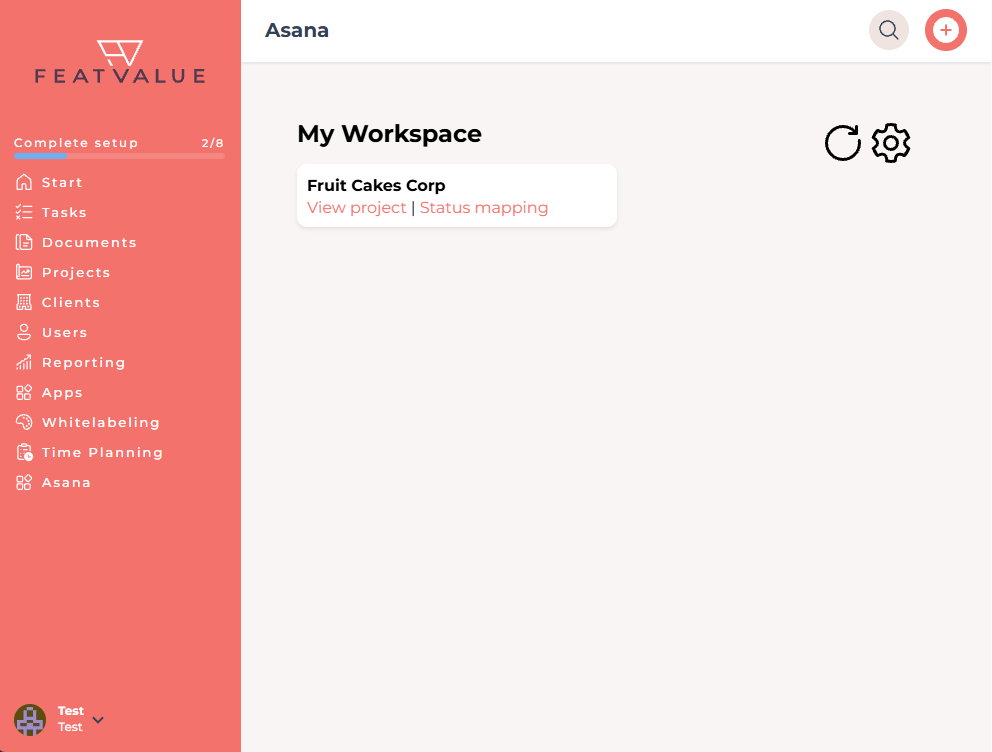
Asana menu in FeatValue

Without switching tools

Open Asana directly inside FeatValue

The Asana menu item in FeatValue shows project links, section mappings, and import options in one place—without jumping between tools.

Set up in minutes

How to connect Asana with FeatValue

1

Sign up for free

Enter your email above to create a FeatValue account. You will confirm your email address in the next step.

2

Choose Asana in onboarding

In the FeatValue onboarding flow, select Asana as your system. Asana authentication opens directly and your Asana account is linked automatically.

3

Invite clients & get started

Invite your clients to FeatValue and start with new or existing boards and projects. Tasks appear automatically in Asana – and vice versa.

Start now with FeatValue and Asana

Try for free, invite clients, and collaborate better – your Asana environment stays exactly as you know it.

No credit card required. Cancel anytime.

+49 251 590 644-60
hello@featvalue.com
Privacy PolicyImprintTerms and Conditions